Projects / business software

The work takes
shape on screen.

Two Nordis projects, two ways to organise follow-up. Explore the functions behind the interfaces and the decisions they make visible.

A selection of documented projects, not a list of delivered client engagements.

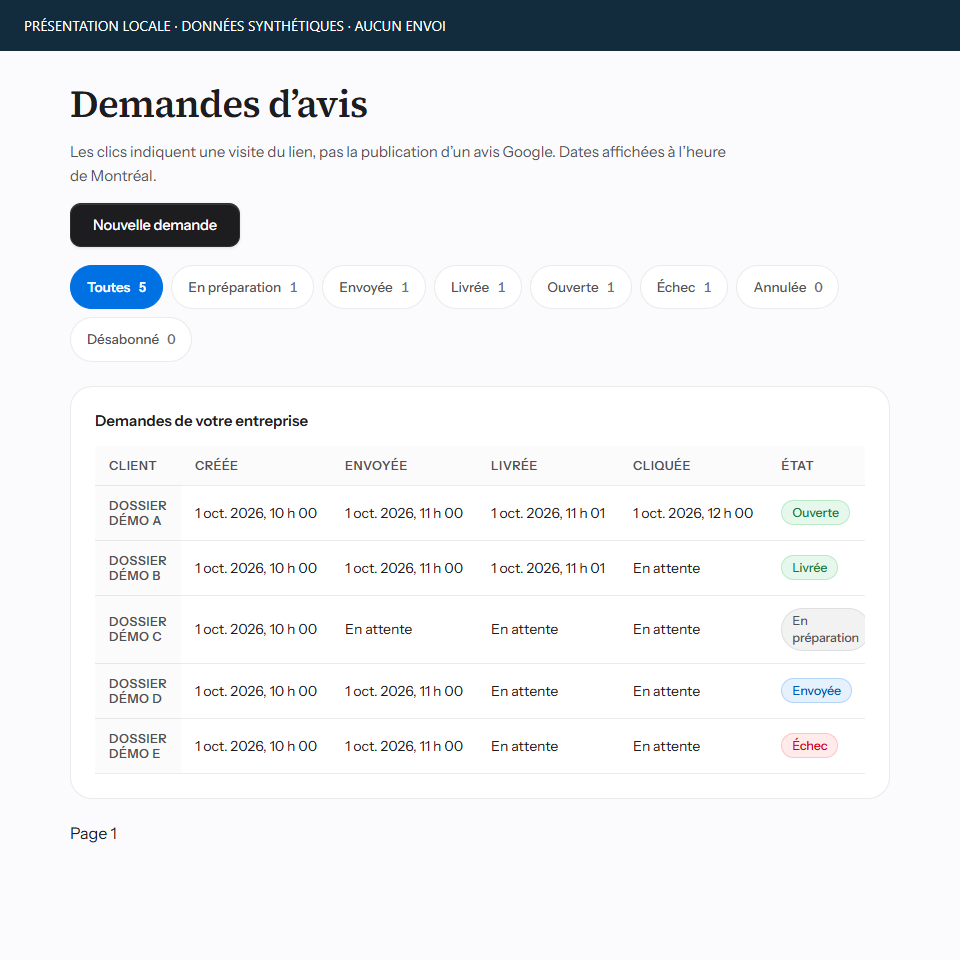
About the screenshots — LeadsPage (CRM) and Requests (Rivyo) components rendered in isolation; synthetic data, French interfaces, no connected service. This is not the full authenticated application: backend and production use are not established, no SMS sending or Google access was exercised.

01 / Internal tool · earlier Nordis project

Nordis CRM

Enquiries and follow-up, in one record.

The problem

A residential enquiry needs qualification, assignment and follow-up. The queue helps choose what to handle; the record keeps the context behind the decision.

The work in the product

A filtered queue linked to a tabbed record: summary, assignment and history. Follow-up actions require explicit confirmation.
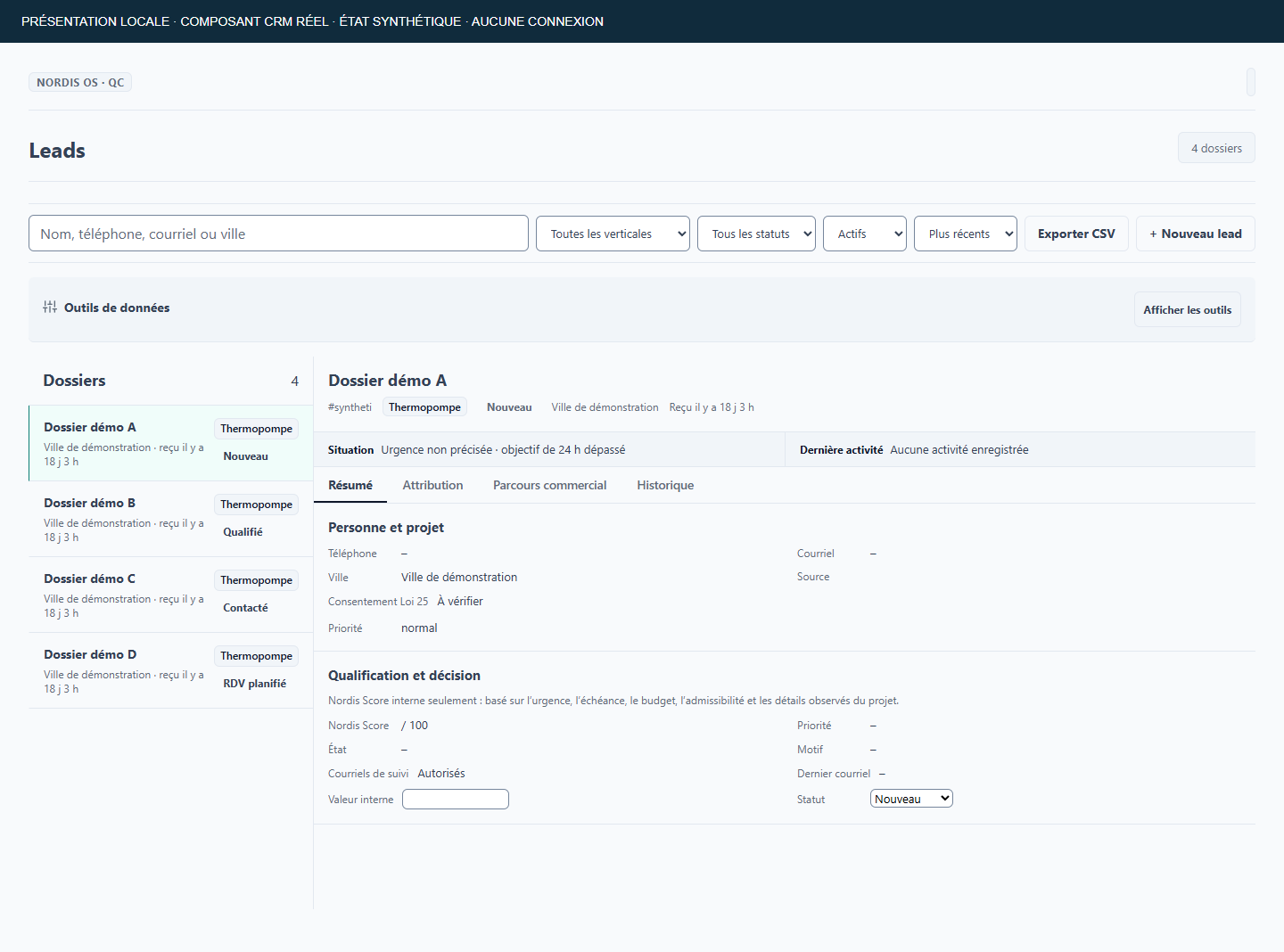
Nordis CRM: synthetic queue and record, French interface.Enlarge the interface ↗

Why it helps

The queue shows what is needed to decide. The record loads details when opened. This keeps every row from becoming a full case file.

Identified functions

  • Queue filtered by status, priority and territory.
  • Record: summary, assignment, commercial workflow and history.
  • Guarded manual follow-up and CSV export.
  1. 01Qualify the enquiry
  2. 02Assign the record
  3. 03Find the history

Functions documented in the CRM enquiries route and its tests.
02 / Nordis product · review requests

Rivyo

See where each review request stands.

The problem

After a service, a review request passes through several states. A sent message, an opened link and a published review do not mean the same thing.

The work in the product

The portal distinguishes preparation, sending, delivery and opening. It provides a filtered history and settings for delays, reminders and quiet hours.

Rivyo request history with synthetic records and distinct states. French-language interface.Enlarge the interface ↗

Why it helps

A click is shown as a visit to the link, never as proof of a published Google review. The interface carries that distinction in its states and labels.

Identified functions

  • Request history with filters and pagination.
  • Separate sent, delivered and clicked timestamps.
  • Automation and reminder settings.
  1. 01Prepare the request
  2. 02Track delivery
  3. 03Distinguish opening

Functions documented in Requests and Automation routes, their components and portal tests.

How Rivyo relates to Reviews →

The way you work

Which workflow needs
its own tool?

These projects show choices in structure and interface. Your tool would start with your roles, constraints and a first workflow to try.

Describe my process →

Download a local brief. Nothing is sent to Nordis.